Global DNS Providers
OpenResty Edge can use an external DNS provider’s API to complete ACME DNS-01 domain ownership validation. After a DNS provider is configured as a global resource, you can reference it when issuing certificates through Let’s Encrypt or another ACME certificate issuer.
Supported DNS Providers
The following provider types are currently supported:
Aliyun DNSDNS PodCloudflareGoDaddy
Creating a DNS Provider
- Log in to the OpenResty Edge Admin console.
- Open
DNS Providersin Global Config. - Click
New DNS Provider. - Enter a recognizable name and select the DNS provider type.
- Enter the provider credentials requested on the page, then save the configuration.
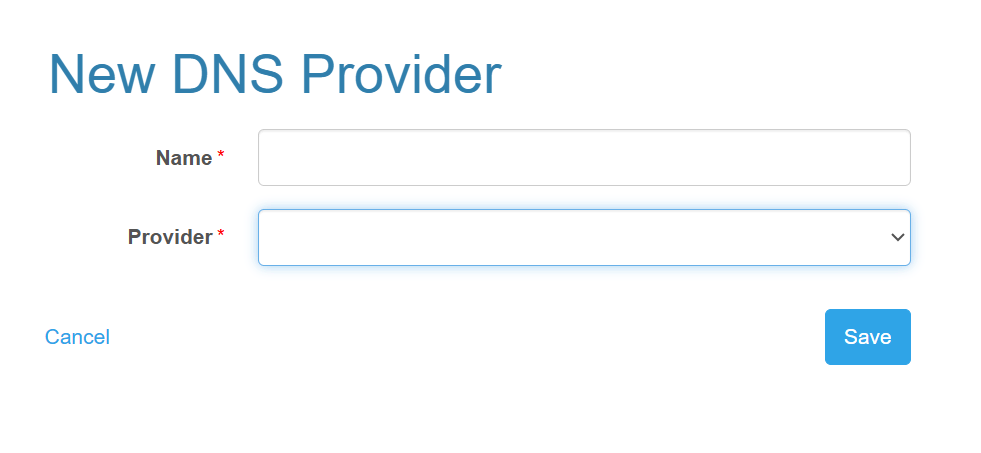
In Provider, select one of the DNS provider types currently supported by OpenResty Edge.
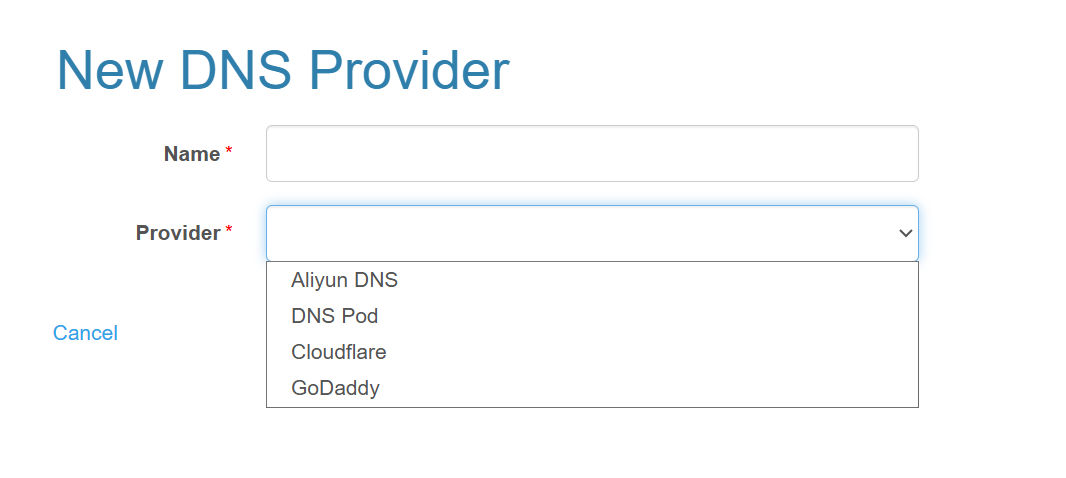
The required credentials vary by DNS provider. Make sure the credentials can create and delete records in the DNS zones for the certificate domains.
Name identifies the DNS provider when you select it during certificate issuance. Secret and token fields are hidden while entering them.
Credentials are encrypted at rest in the Edge Admin database and decrypted only for the internal ACME operation. Access is controlled by the Global DNS Providers (DNS-01) read/write permission.
When editing a provider, omit credential fields to preserve their current values. A non-empty value explicitly replaces and rotates that credential. An empty string is rejected.
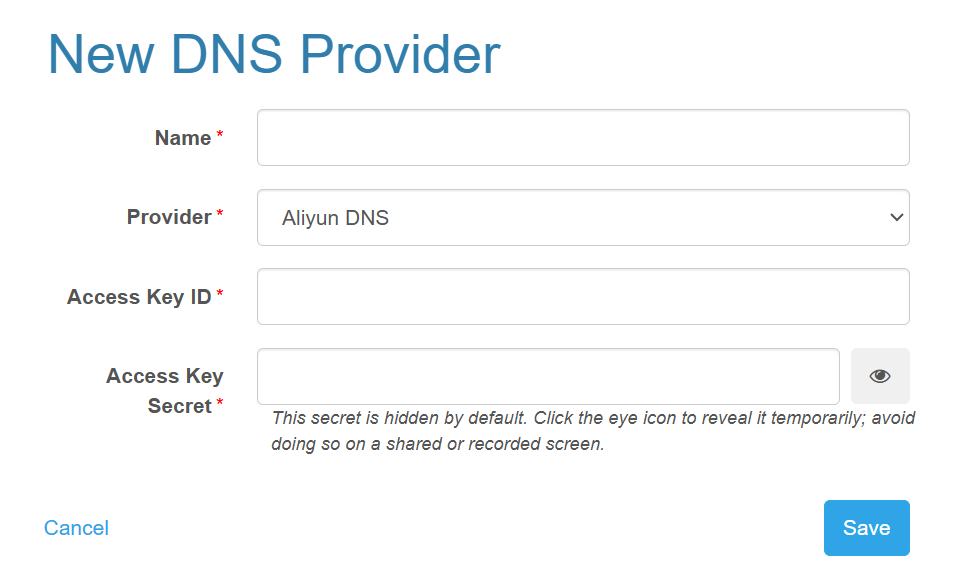
Aliyun DNS
After selecting Aliyun DNS, enter the Access Key ID and Access Key Secret for your Alibaba Cloud account. The Access Key must have permission to manage DNS records for the target domain.
Cloudflare
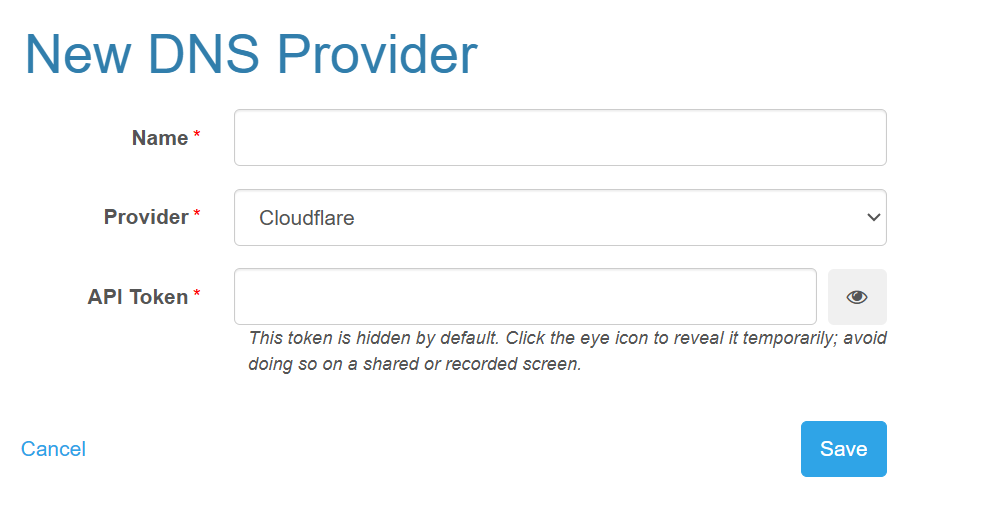
After selecting Cloudflare, enter an API Token. The token must have permission to edit DNS records in the target zone.
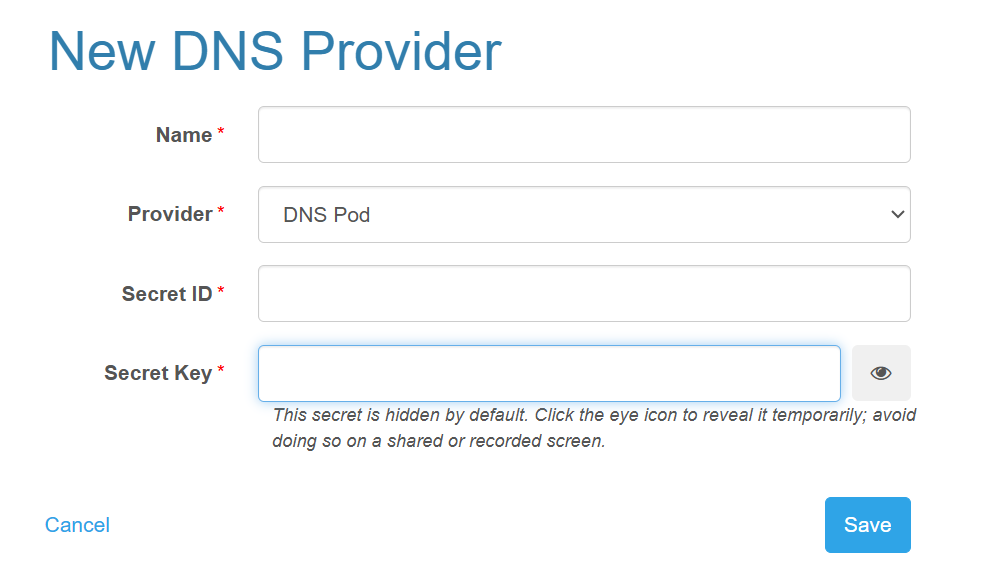
DNSPod
After selecting DNS Pod, enter the Secret ID and Secret Key for the Tencent Cloud API credentials. The credentials must have permission to manage DNS records for the target domain.
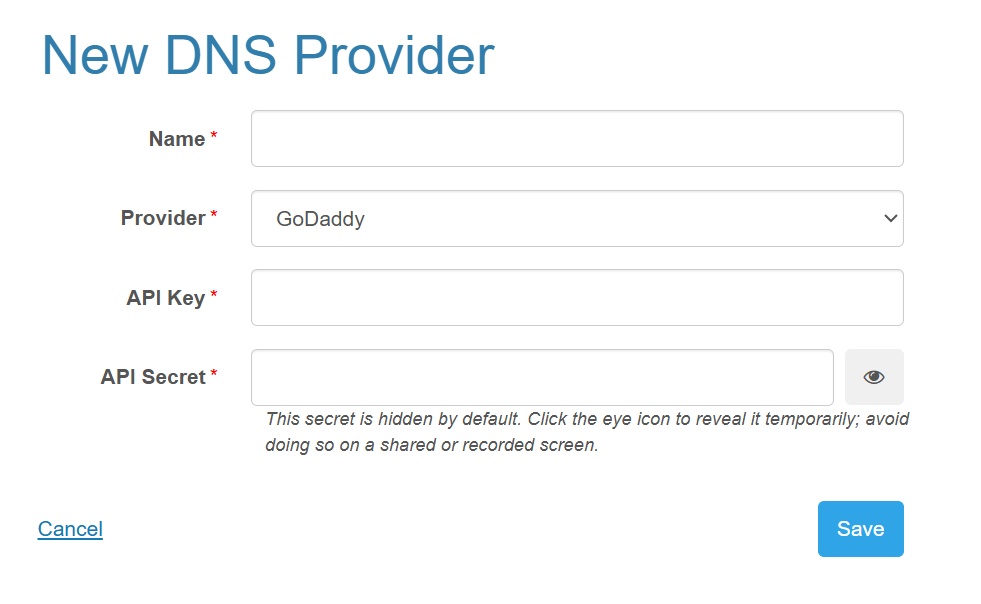
GoDaddy
After selecting GoDaddy, enter the API Key and API Secret. The credentials must have permission to manage DNS records for the target domain.
Using a DNS Provider for Certificate Issuance
- Create a Let’s Encrypt or Generic ACME certificate.
- Select the global DNS provider from
DNS Provider. - Enter the certificate domains and save the certificate.
OpenResty Edge uses the selected provider’s API to create the _acme-challenge TXT record required for DNS-01 validation. During automatic certificate renewal, the system uses the same DNS provider to complete validation again.
For applicable scenarios and issuance requirements, see Using an External DNS Provider for DNS-01 Validation.
Important Notes
- Grant the credentials only the minimum permissions required to manage DNS records.
- Keep the credentials valid. Otherwise, certificate issuance or automatic renewal may fail.
- Make sure OpenResty Edge Admin can access the APIs of the DNS provider and certificate issuer.
- The selected DNS provider must host the authoritative DNS zone for the certificate domain.