Delay Requests
The Delay Request action adds a fixed wait time to requests that match the page rule conditions before processing continues. It does not determine the request rate by itself, so use precise page rule conditions to limit the action to the traffic that should be delayed.
Use Cases
- Reduce the efficiency of brute-force attacks, bulk probing, or automated scraping.
- Apply a measured response to suspicious traffic without immediately rejecting requests that might be legitimate.
- Increase an attacker’s time cost without immediately revealing that a blocking policy is in effect.
To automatically regulate or reject traffic based on request rate, use Limit Request Rate. To block requests after abnormal behavior persists for a period of time, use Blocking Client Requests.
How It Works
The page rule first determines whether a request matches its conditions. When a request matches, OpenResty Edge delays it for the configured number of seconds and then continues processing it. Requests that do not match the rule are unaffected.
Configuration
- In Edge Admin, open the Page Rules page for the target application and create a rule.
- Enable conditions that identify the traffic to delay based on the URI, client information, or other request characteristics.
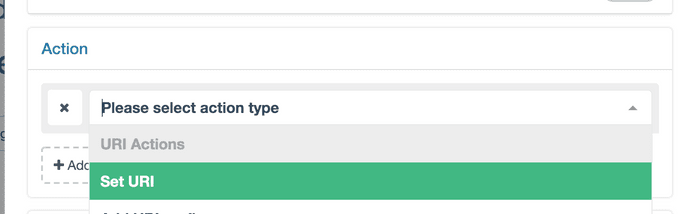
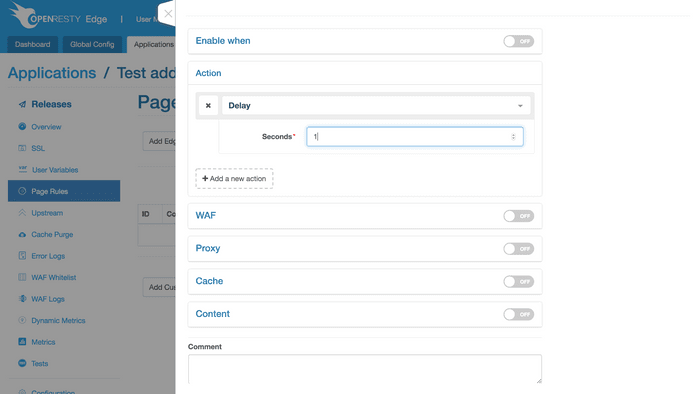
- Under Actions, select Delay.
- Set the delay in seconds, create the rule, and publish the application configuration.
Parameters
- Seconds: The time a matching request must wait. After the delay ends, request processing continues; the request is not automatically rejected.
Verification
After publishing the configuration, send one request to a URI that matches the rule and another to a URI that does not. Compare the response times observed by the client. Also verify that the rule conditions do not include static assets, health checks, or other requests that should not be delayed.
Considerations
- A delay keeps the request active for longer. A rule with overly broad conditions or an excessive delay can degrade the normal user experience and increase concurrent request pressure.
- Do not identify clients solely by easily forged request headers. If you use
X-Forwarded-For, make sure the header is maintained by a trusted proxy. - For confirmed, sustained, high-rate attacks, combine this action with request rate limiting, request blocking, or IP blocking instead of continually increasing the delay.