Limit Request Count
Request count limiting counts the total number of requests for each key within a fixed time window. After the request count exceeds the rejection threshold, OpenResty Edge performs the configured reject action on subsequent requests for that key. The counter starts over when a new time window begins.
Use Cases
- Limit login attempts, verification code delivery, password resets, and other sensitive operations.
- Enforce API quotas or the total number of requests allowed in a period.
- Limit repeated submissions, batch queries, and other automated behavior over a short period.
To smooth sustained traffic and delay requests between the throttle and rejection thresholds, use request rate limiting.
How It Works
OpenResty Edge groups requests by one or more keys. Each group is counted independently within its own fixed time window. After the count exceeds the rejection threshold, the system performs the reject action. At the start of a new time window, the counter for that group resets to zero.
Configuration
In the page rules for the target application, select CC Attack Protection Actions > Limit Request Count, then configure the keys, rejection threshold, time window, and reject action.
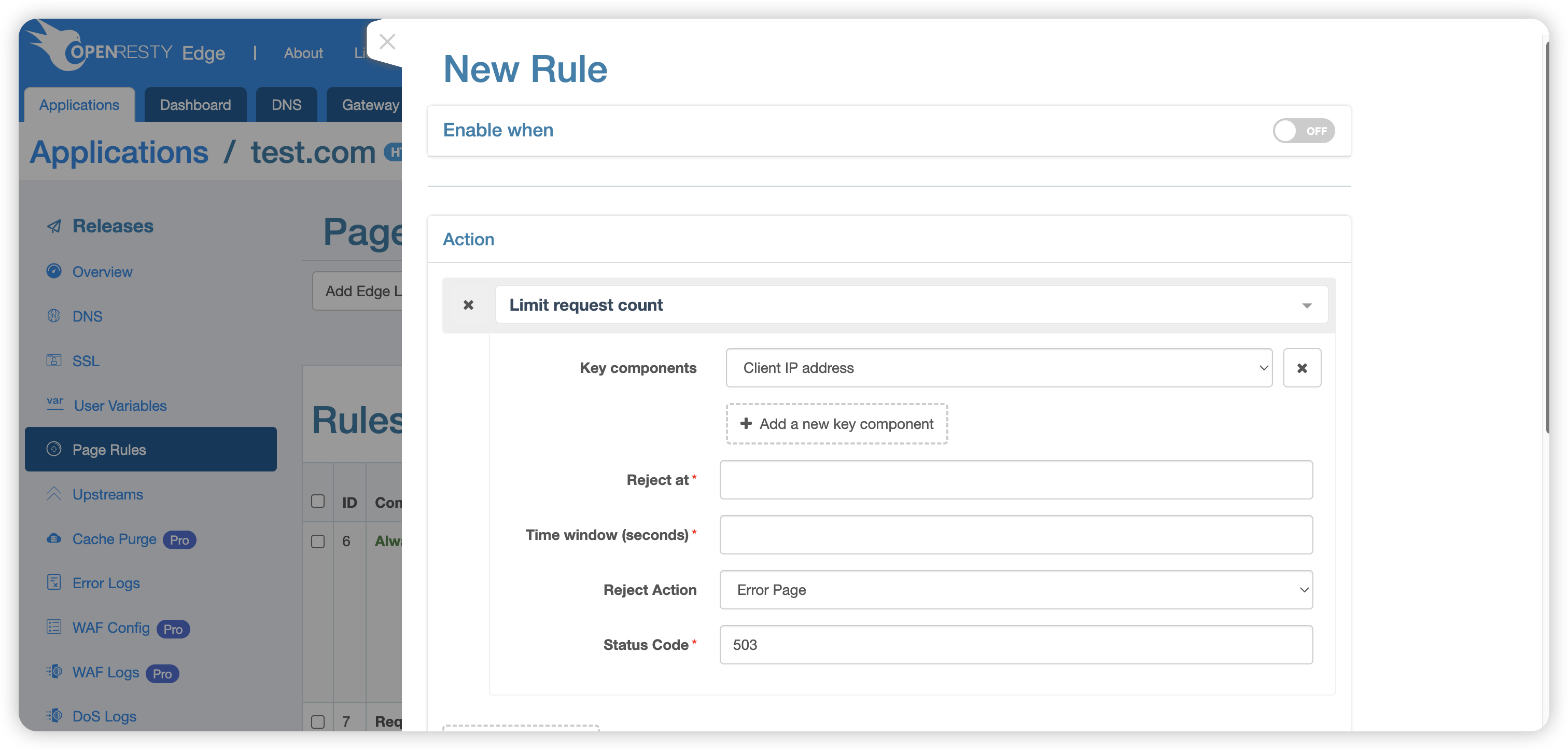
Parameters
- Key: Groups requests so that they are counted separately. The client IP address is used by default, but you can also select the URI, URI argument, and other options. Multiple keys can be combined. When selecting a URI argument or Cookie, you must also specify the corresponding argument or Cookie name. See Keys.
- Rejection Threshold: The maximum number of requests allowed within one time window. After the request count exceeds this value, the system performs the reject action.
- Time Window: The fixed request-counting interval, in seconds. The counter starts over when a new time window begins.
- Reject Action: The action performed when the rejection condition is reached. See Reject Actions.
Keys
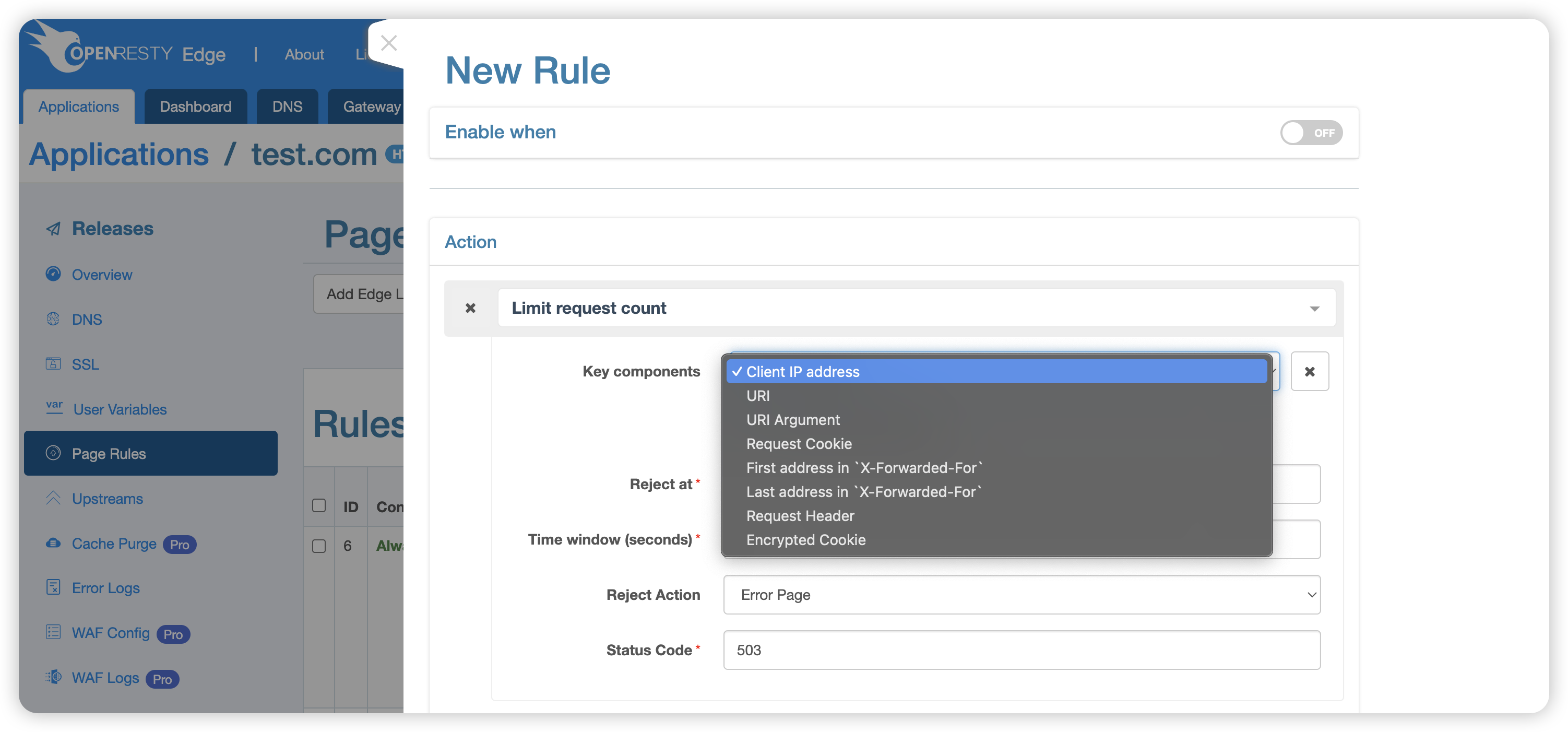
Available keys include:
- Client IP Address: For example,
1.1.1.1. - URI: For example,
/openresty. - URI Query Argument: For example,
arg1in/openresty?arg1=val1. - Request Cookie: For example,
c1inCookie: c1=v1. - First IP Address in
X-Forwarded-For: For example,1.1.1.1inX-Forwarded-For: 1.1.1.1, 1.1.1.2. - Last IP Address in
X-Forwarded-For: For example,1.1.1.2inX-Forwarded-For: 1.1.1.1, 1.1.1.2. - Specified HTTP Request Header: For example,
Host. - Encrypted Cookie: Distinguishes clients by the encrypted Cookie generated by OpenResty Edge. If a request does not carry an encrypted Cookie, the system must fall back to other keys. Therefore, an encrypted Cookie must be combined with another key.
Before using X-Forwarded-For, make sure that a trusted proxy maintains the
header and that clients cannot forge it.
Reject Actions
When the rejection condition is reached, the system can perform the following preset actions. The default is Return Error Page.
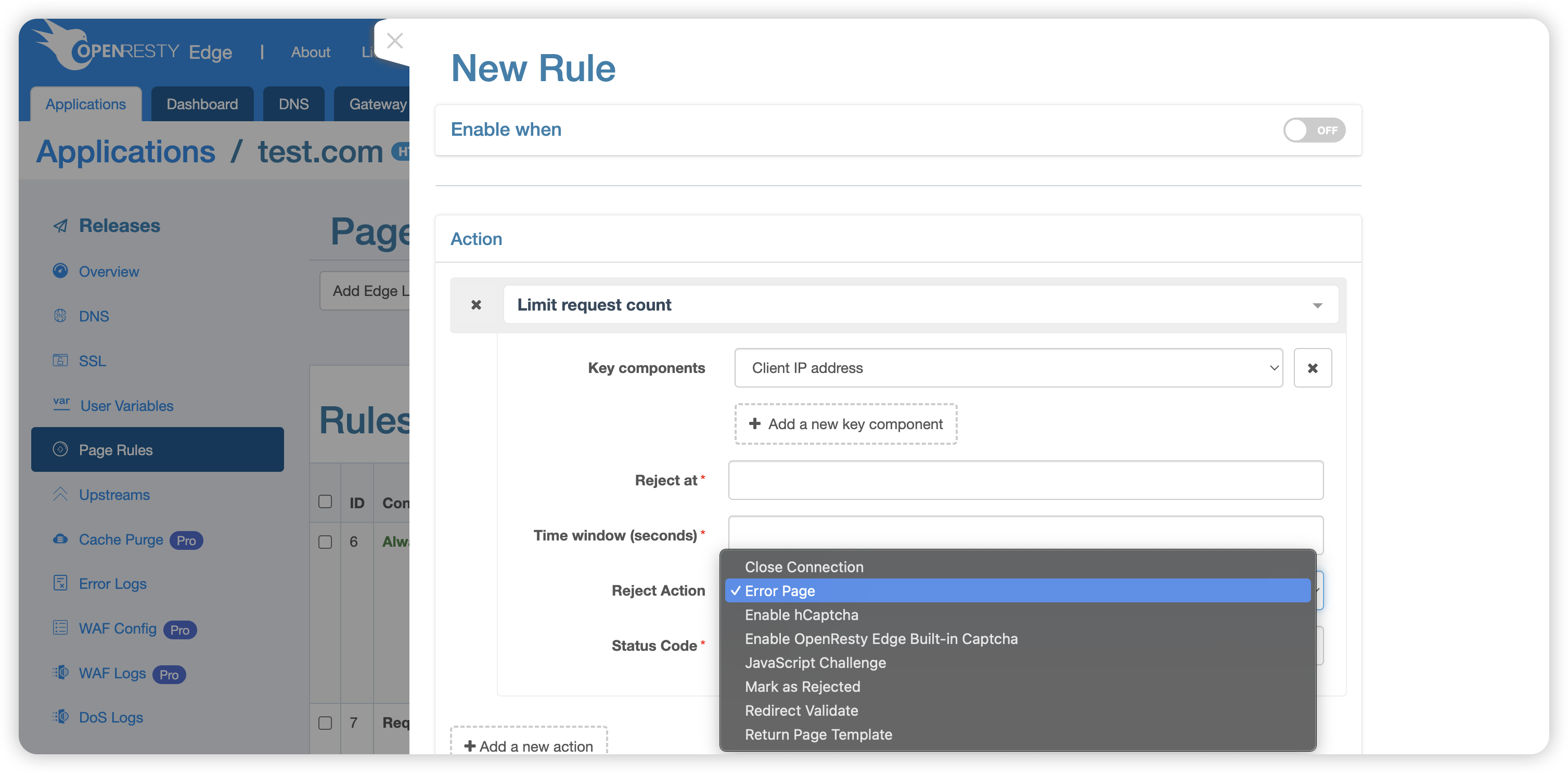
- Close Request Connection: Immediately terminates the client connection without responding to the request.
- Return Error Page: Returns an error page with status code 503 by default.
- Complete hCaptcha Verification: Requires the client to pass an hCaptcha challenge.
- Complete OpenResty Edge Captcha Verification: Uses the OpenResty Edge captcha system to verify the user.
- Redirect Verification: Redirects the request to a verification page. Access can continue only after verification succeeds.
- JavaScript Challenge: Requires the client browser to run JavaScript to distinguish browsers from simple automated programs.
- Private Access Token: Requests client attestation and uses the configured
fallback when a valid token is unavailable. Configure a fallback, page
template when required, and Clearance Time (default 60 seconds). See
Private Access Tokens.
This action was first introduced in OpenResty Edge
26.9.1-1. - Mark as Rejected: Marks the request as rejected and continues processing
subsequent page rules. This action was first introduced in
24.9.1-7. - Block IP Address: Drops all packets from the source IP at the operating
system level. This action was first introduced in
26.3.1-1.
Configuration Example
The following configuration means that, within each 60-second time window, the first request from the same client IP address is not limited. After the request count exceeds 1, the system returns a 503 error.
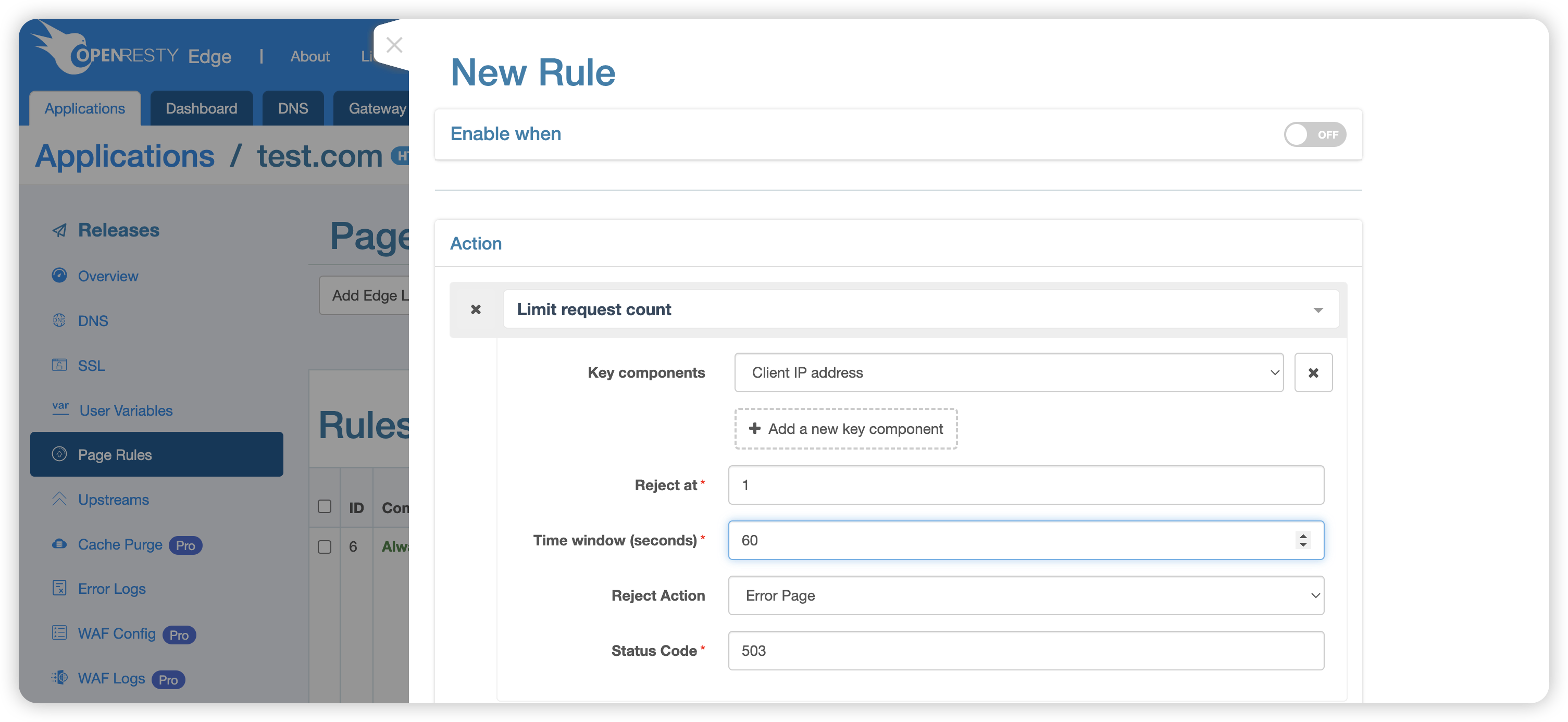
After publishing the configuration, use curl to simulate client access. The
first request does not trigger the limit. Because the test page does not exist,
the origin returns 404:
$ curl -i -H 'host: test.com' http://node-host/404.html
HTTP/1.1 404 Not Found
Date: Fri, 04 Sep 2020 04:43:20 GMT
Content-Type: text/html
Content-Length: 150
Connection: keep-alive
Server: openresty+

<html>
<head><title>404 Not Found</title></head>
<body>
<center><h1>404 Not Found</h1></center>
<hr><center>openresty</center>
</body>
</html>
Sending a second request immediately within the same time window triggers the limit and returns 503:
$ curl -i -H 'host: test.com' http://node-host/404.html
HTTP/1.1 503 Service Temporarily Unavailable
Date: Fri, 04 Sep 2020 04:43:21 GMT
Content-Type: text/html
Content-Length: 194
Connection: keep-alive
Server: openresty+

<html>
<head><title>503 Service Temporarily Unavailable</title></head>
<body>
<center><h1>503 Service Temporarily Unavailable</h1></center>
<hr><center>openresty</center>
</body>
</html>
After the current time window ends, send another request to confirm that the counter has reset.
Considerations
- A fixed time window resets at its boundary. When setting the threshold, consider whether legitimate traffic can burst across two adjacent windows.
- When counting only by client IP address, users behind the same NAT or proxy share an allowance. Combine the IP address with a URI, Cookie, or another trusted identifier to distinguish requests more precisely.
- For browser users, prefer recoverable reject actions such as a captcha. Use operating-system-level blocking only after confirming that the source IP is malicious.