Block IP List
The Block IP List action checks whether a request’s source IP appears in a specified IP list. When the source IP matches the list, the system blocks it at the operating system level. While the block is active, all packets from that IP are dropped.
Use Cases
- Maintain a blocklist of confirmed malicious IP addresses.
- Block scanners, attack nodes, or other suspicious sources in bulk.
- Import reviewed IP addresses from third-party threat intelligence into a shared list.
- Centrally maintain a set of blocking targets referenced by multiple page rules.
If you only need to block the source IP of the current request when it matches a page rule, without maintaining a list in advance, use Block Source IP.
How It Works
After the page rule matches, OpenResty Edge compares the current request’s source IP with the selected IP list. If the source IP appears in the list, the system blocks it at the operating system level. If it does not appear in the list, this action does not block the IP.
Configuration
- Prepare and maintain the IP list to use for blocking.
- In Edge Admin, open the Page Rules page for the target application and create a rule.
- Configure rule conditions as needed.
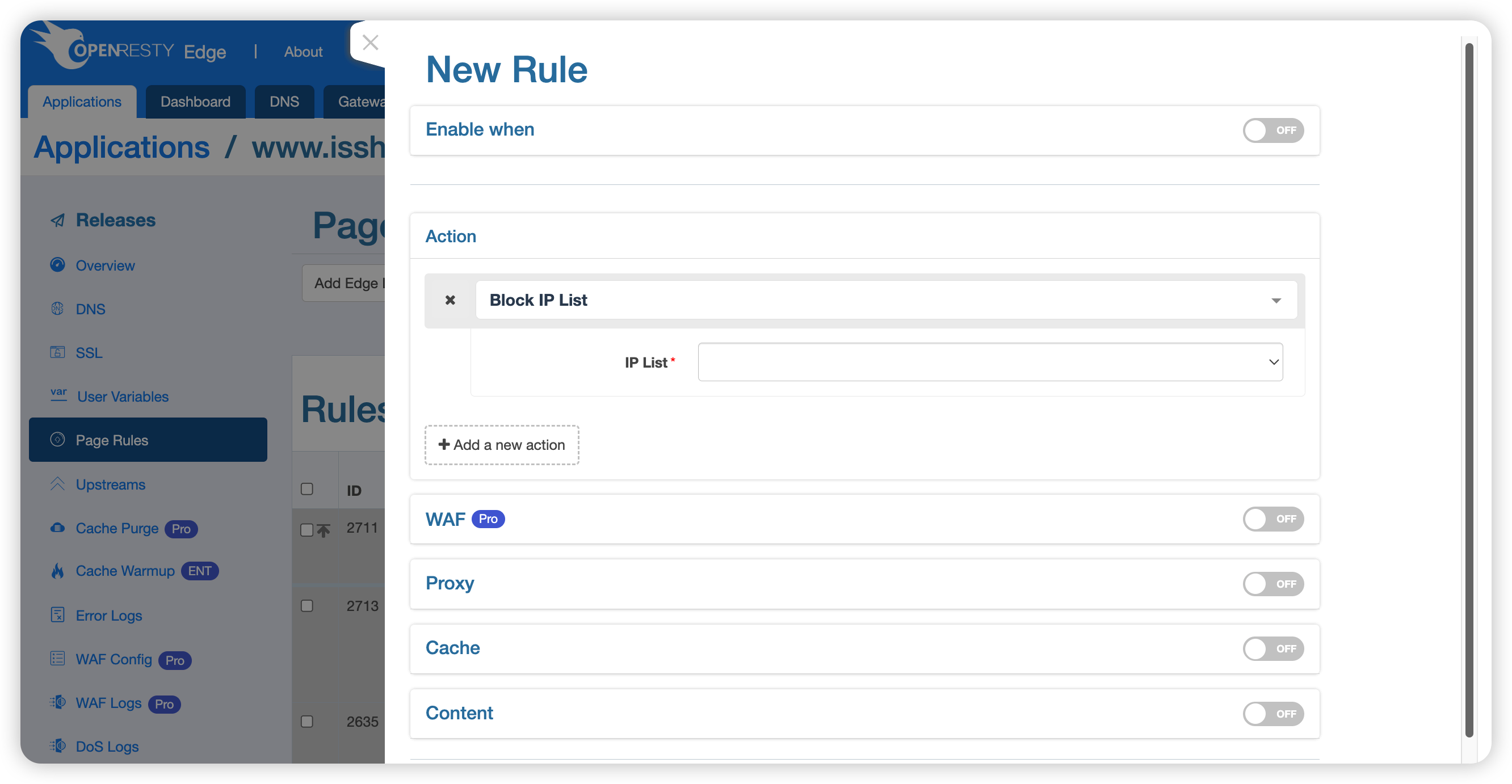
- Under Actions, select Block IP List, and then select the target IP list.
- Create the rule and publish the application configuration.
Parameters
- IP List: A predefined list used to match request source IP addresses. The action blocks a source IP only when it appears in this list.
Verification and Management
Before publishing the configuration, check whether the list contains IP addresses used by gateways, trusted proxies, office network egress points, monitoring nodes, or other critical infrastructure. After publishing, use a dedicated test IP to verify behavior for both a list match and a list miss.
You can view and manage blocked IP addresses in the gateway cluster. For details, see Blocked IP Management.
Considerations
- This action drops all packets from a source IP at the operating system level, so its scope is broader than a single HTTP request.
- NAT gateways, corporate proxies, and mobile network egress points can be shared by many users. Adding a shared IP to the list also affects legitimate users.
- Third-party threat intelligence can contain stale entries or false positives. Review the source before importing it, and establish a process for regular updates and removals.
- If OpenResty Edge is behind a reverse proxy or load balancer, confirm that the source IP detected by the system is the intended client and not the upstream proxy.