Block Source IP
The Block Source IP action blocks the current request’s source IP at the operating system level for a specified period. While the block is active, all packets from that IP are dropped, rather than only HTTP requests to the current application being rejected.
Use Cases
- Page rule conditions have reliably identified an attack source that must be isolated quickly.
- The same source IP continues to attack multiple URIs or consume connection resources across different protocols.
- Escalate request-layer detection to a lower-overhead block at a lower layer.
If you still need to observe the client’s behavior, or if a source IP may represent multiple legitimate users, use Block Requests or a CAPTCHA-based request-layer response first.
How It Works
When a request matches a page rule containing this action, OpenResty Edge places the source IP in the blocklist. The expiration time and jitter time determine how long the block remains active. The IP is automatically unblocked when its actual expiration time is reached.
Configuration
- In Edge Admin, open the Page Rules page for the target application and create a rule.
- Configure conditions that reliably identify attack requests.
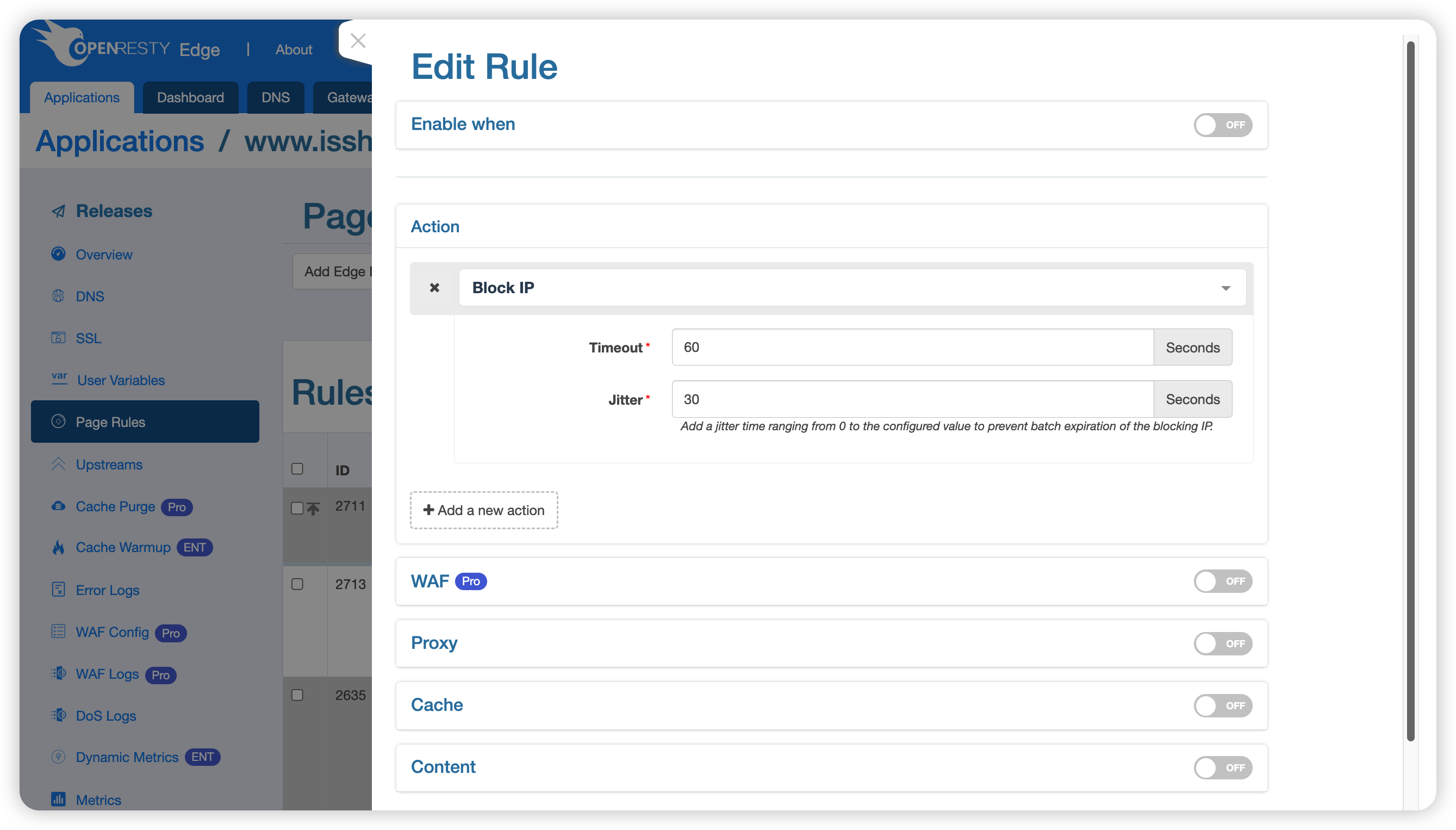
- Under Actions, select Block Source IP.
- Set the expiration time and jitter time, create the rule, and publish the application configuration.
Parameters
- Expiration Time: The base block duration in seconds. For example,
600blocks the source IP for at least 600 seconds. - Jitter Time: A random time offset, in seconds, added to the base expiration time. The actual block duration is between the expiration time and the expiration time plus the jitter time. For example, if the expiration time is
600and the jitter time is60, the actual block duration is between 600 and 660 seconds. Staggering expiration times reduces the risk of a traffic spike when many IP addresses regain access.
Verification and Management
After publishing the configuration, use a dedicated test IP to send a request that matches the rule. Confirm that subsequent connections from that IP are dropped and that access resumes after the block expires. Do not test with an egress IP required to administer Edge Admin or another critical system.
You can view and manage blocked IP addresses in the gateway cluster. For details, see Blocked IP Management.
Considerations
- This action affects all packets from the source IP, so its scope is broader than the application containing the page rule.
- NAT gateways, corporate proxies, and mobile network egress points can be shared by many users. Blocking a shared IP also affects legitimate users.
- When OpenResty Edge is deployed behind a reverse proxy or load balancer, confirm that the source IP detected by the system is the intended client and not the upstream proxy.
- Keep the matching conditions as precise as possible and use a reasonable expiration time. For unconfirmed suspicious traffic, prefer reversible request-layer verification or rate limiting.