Mirror Request
The mirror request feature allows generating subrequests to access additional servers, enabling various business scenarios.
The mirror request feature allows generating subrequests to access additional servers, enabling various business scenarios. For example:
- Send requests to authentication servers for verification before allowing service access
- Send requests to WAF servers for security checks before permitting access
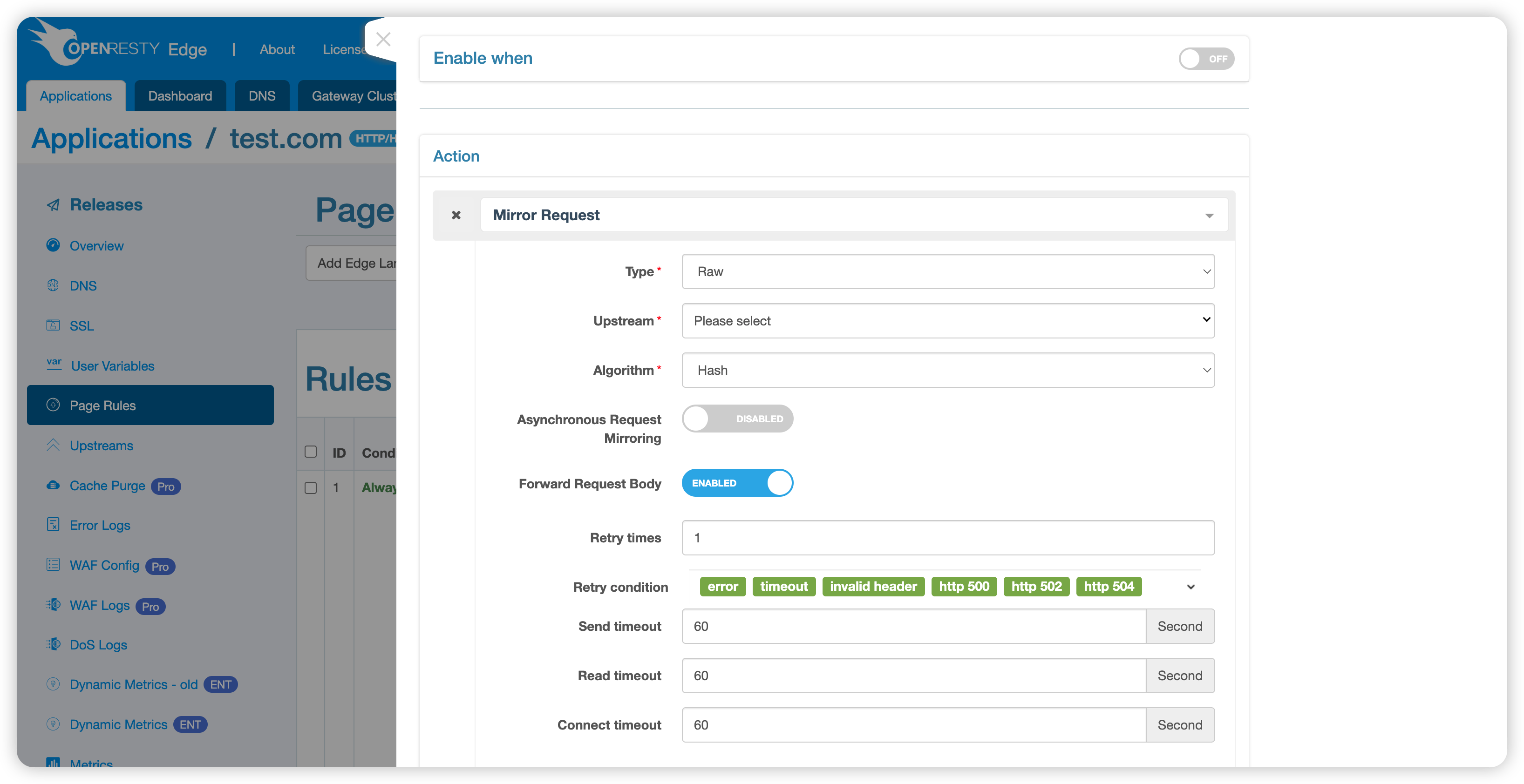
Configuration Parameters
- Type: Processing method for mirror requests
- RAW: Directly mirror the original request
- CUSTOM: Perform customized processing through a custom Lua module
- Module Name: When type is CUSTOM, specify the name of the Lua module that handles the request (see examples below for module format requirements)
- Upstream: Select the target upstream server for mirror requests
- Algorithm: Load balancing algorithm, supports Hash, Chash, Roundrobin
- Retry Count: Number of retries when requests fail
- Send Timeout: Timeout for sending data to the mirror server (in seconds)
- Read Timeout: Timeout for receiving data from the mirror server (in seconds)
- Connect Timeout: Timeout for connecting to the mirror server (in seconds)
- Async: Whether to enable asynchronous mirror requests (main request doesn’t wait for subrequest to return) (Added in v25.12.1-1)
- Forward Request Body: Whether to forward the original request body (Added in v25.12.1-1)
Note: When upstream servers have health checks enabled, the mirror request feature will enable fast-fail by default. This means when health checks show no available upstream servers, the system will skip mirror request operations.
Configuration Examples
1. Add Global Lua Module
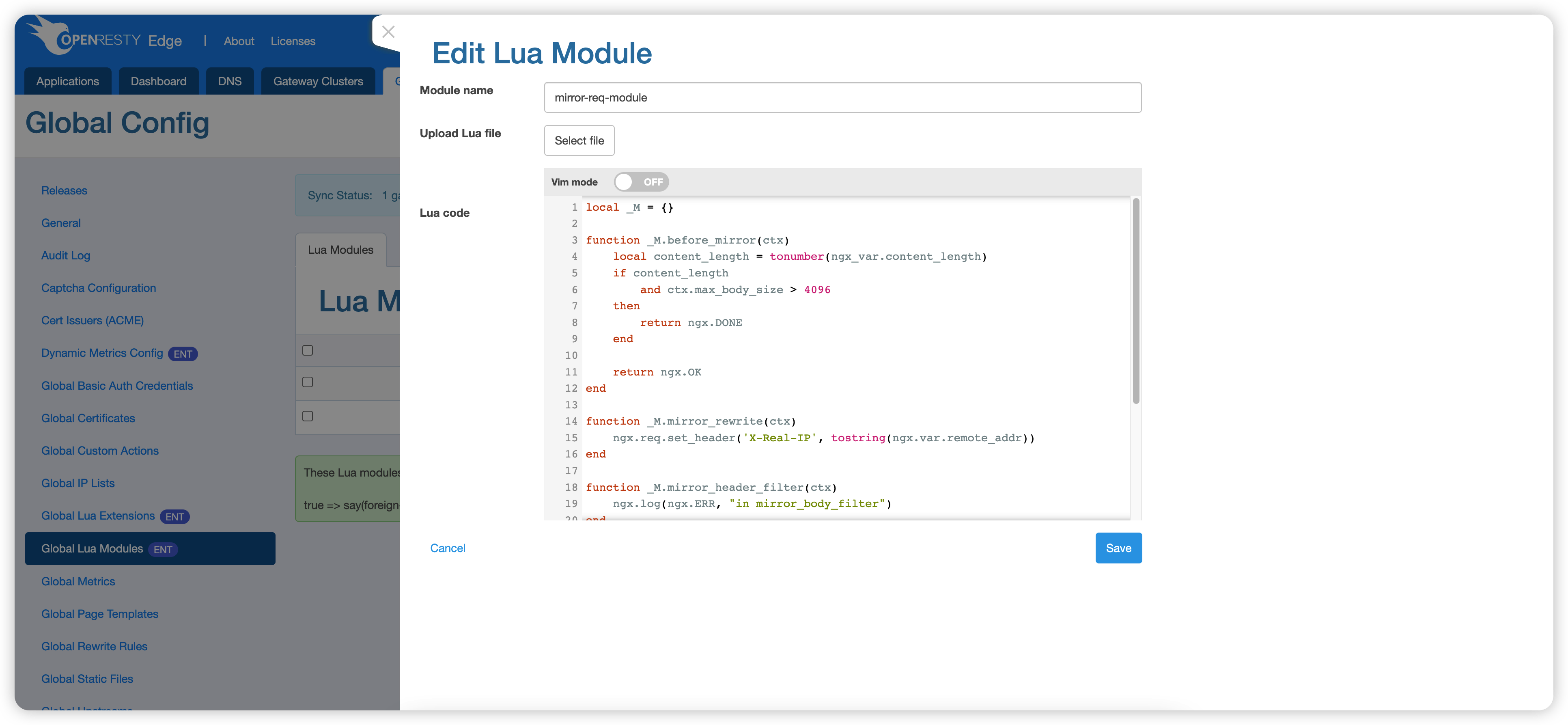
Lua Module Example:
local _M = {}

function _M.before_mirror(ctx)
    local content_length = tonumber(ngx.var.content_length)
    if content_length and ctx.max_body_size > 4096 then
        return ngx.DONE  -- Skip mirror operation
    end
    return ngx.OK
end

function _M.mirror_rewrite(ctx)
    ngx.req.set_header('X-Real-IP', tostring(ngx.var.remote_addr))
end

function _M.mirror_header_filter(ctx)
    ngx.log(ngx.ERR, "in mirror_header_filter")
end

function _M.mirror_body_filter(ctx)
    ngx.log(ngx.ERR, "in mirror_body_filter")
end

function _M.after_mirror(ctx, resp)
    ngx.header['mirror-response-body'] = resp.body
end

function _M.header_filter()
    ngx.log(ngx.ERR, "in main request header filter")
end

function _M.body_filter()
    ngx.log(ngx.ERR, "in main request body filter")
end

return _M
Callback Function Descriptions:
- before_mirror: Called before subrequest creation, returning
ngx.DONEskips the mirror operation - mirror_rewrite: Called during the subrequest rewrite phase, can modify subrequest information
- mirror_header_filter: Called during the subrequest header_filter phase, can modify subrequest response headers
- mirror_body_filter: Called during the subrequest body_filter phase, can modify subrequest response body (not called in async mode)
- after_mirror: Called after subrequest completion (not called in async mode)
- header_filter: Called during the main request header_filter phase
- body_filter: Called during the main request body_filter phase
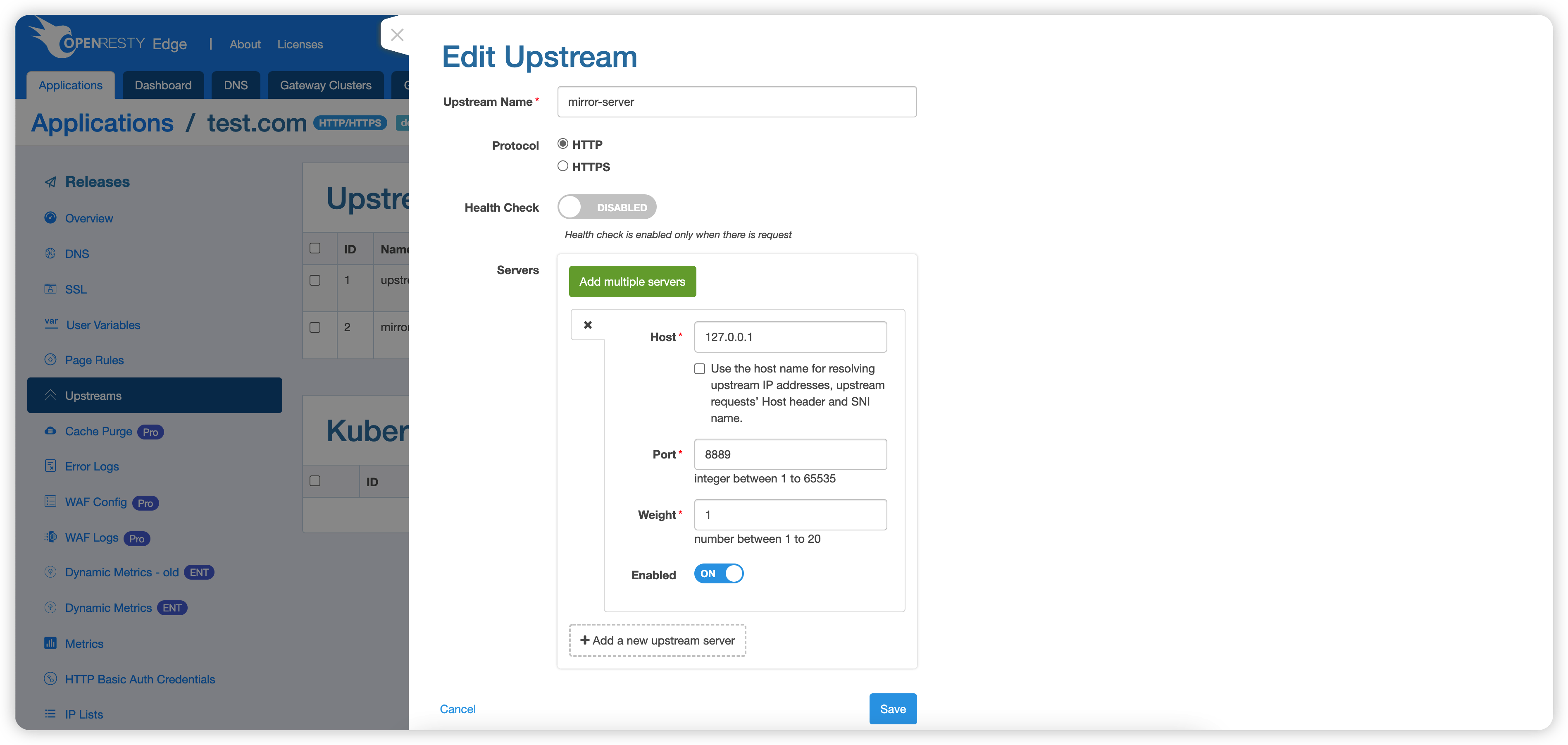
2. Add Mirror Server
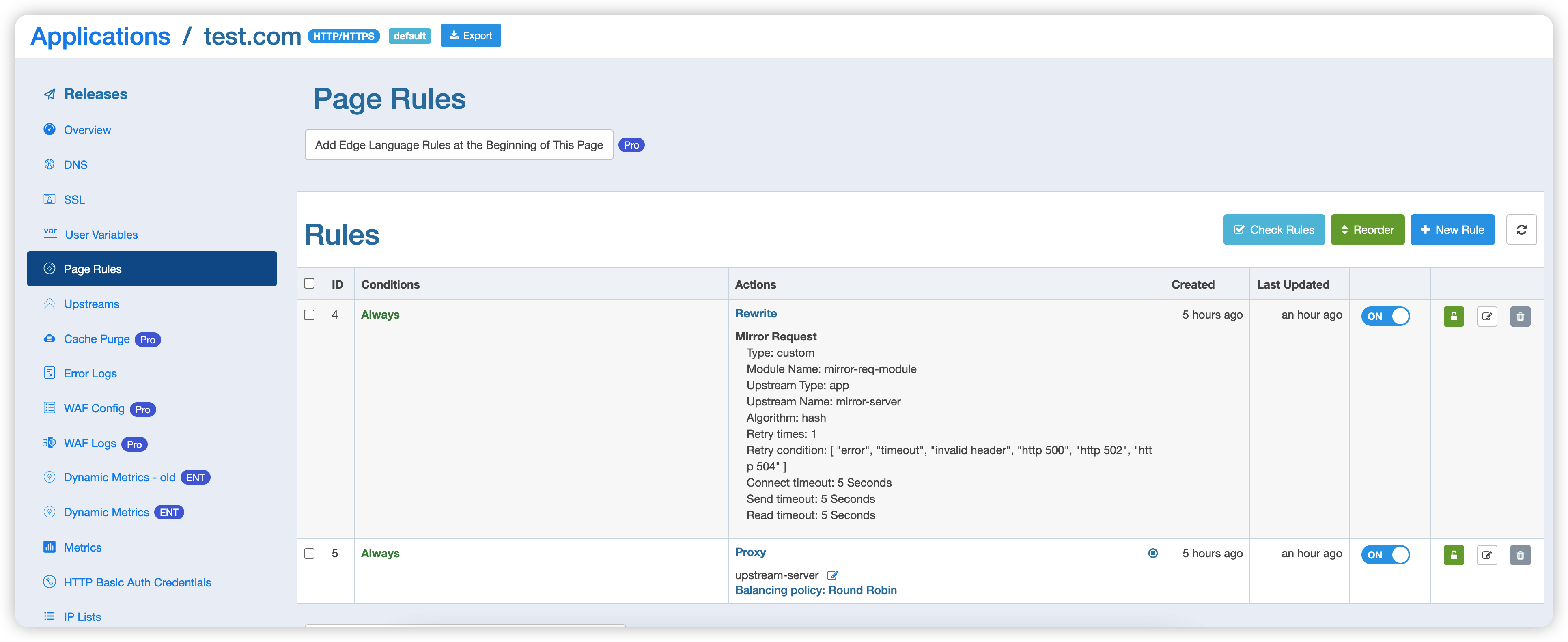
3. Configure Page Rules
4. Test Request
$ curl http://test.com -v
* Rebuilt URL to: test.com/
*   Trying 127.0.0.1...
* TCP_NODELAY set
* Connected to test.com (127.0.0.1) port 80 (#0)
> GET / HTTP/1.1
> Host: test.com
> User-Agent: curl/7.61.1
> Accept: */*
>
< HTTP/1.1 200 OK
< Date: Thu, 13 Oct 2022 08:25:22 GMT
< Content-Type: text/plain
< Transfer-Encoding: chunked
< Connection: keep-alive
< mirror-response-body: i am mirror server
< Server: openresty+
< Req-ID: 00000080000447f28b90004c
< Cache-Status: BYPASS
<
i am upstream
* Connection #0 to host test.com left intact
From the response results, we can see that the response headers include mirror-response-body: i am mirror server, indicating that the mirror request feature is working properly and successfully retrieved the response content from the mirror server.