Proxy Header Actions
OpenResty Edge provides the following actions to modify request headers proxied to upstream servers.
Set Proxy Header
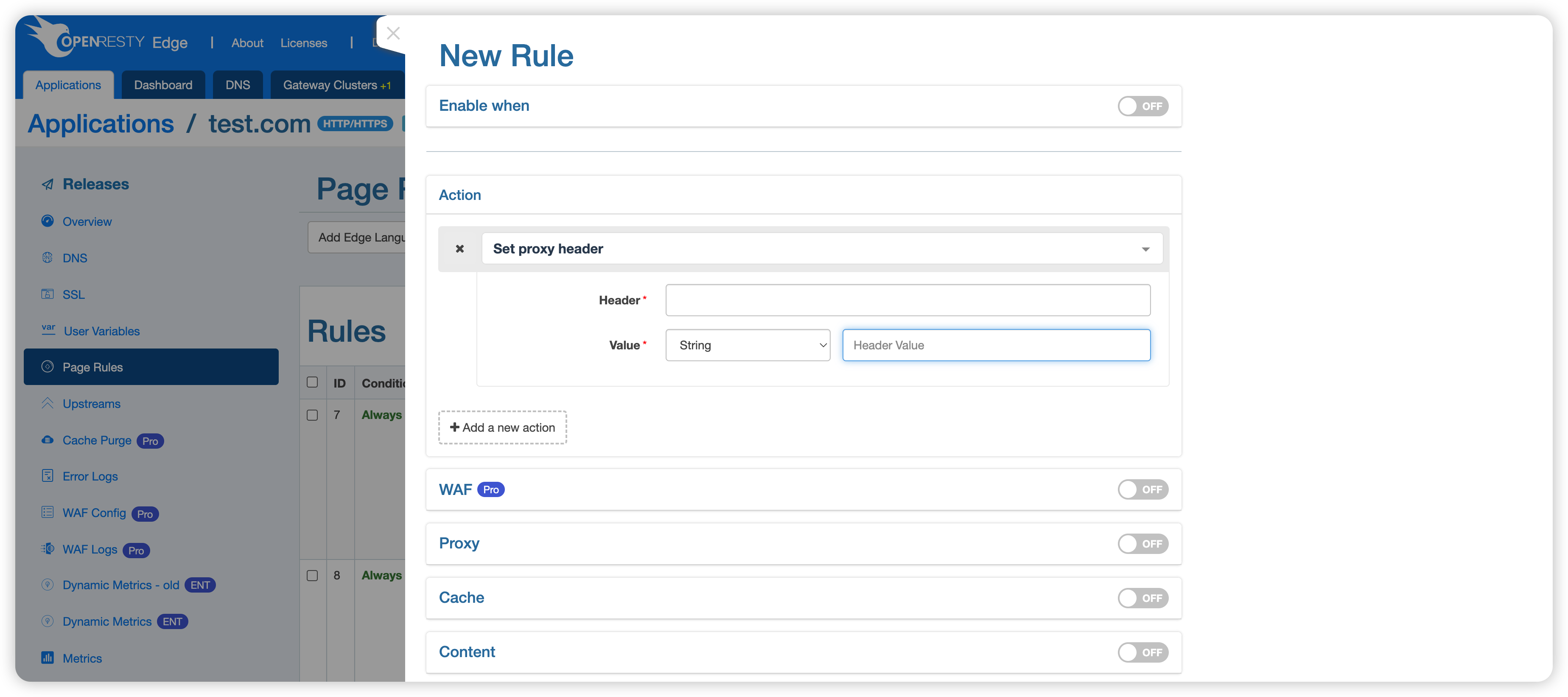
In this page rule:
- The action “Set Proxy Header” is used;
- Proxy is enabled to checking the action execution results.
“Set Proxy Header” requires two parameters: “Header” and “Value”. The “Value” type can be selected as either “String” or “Built-in Variable”.
“Built-in Variable” has the following options: (Please refer to your Edge Admin version, as support may vary between versions)
- Client Address
- Client Port
- Hostname
- Protocol
- First Address in Request Header “X-Forwarded-For”
- Last Address in Request Header “X-Forwarded-For”
- Request Header
- System Hostname
- SSL Client Subject Distinguished Name
- SSL Client Issuer Distinguished Name
- SSL Client Verification Result
Request example:
$ curl http://test.com/anything
{
  ...
  "headers": {
    "X-Proxy-Header": "127.0.0.1"
  },
  ...
}
In this example, the built-in variable “Client Address” is used to set the proxy header “X-Proxy-Header”.
Set Proxy Host
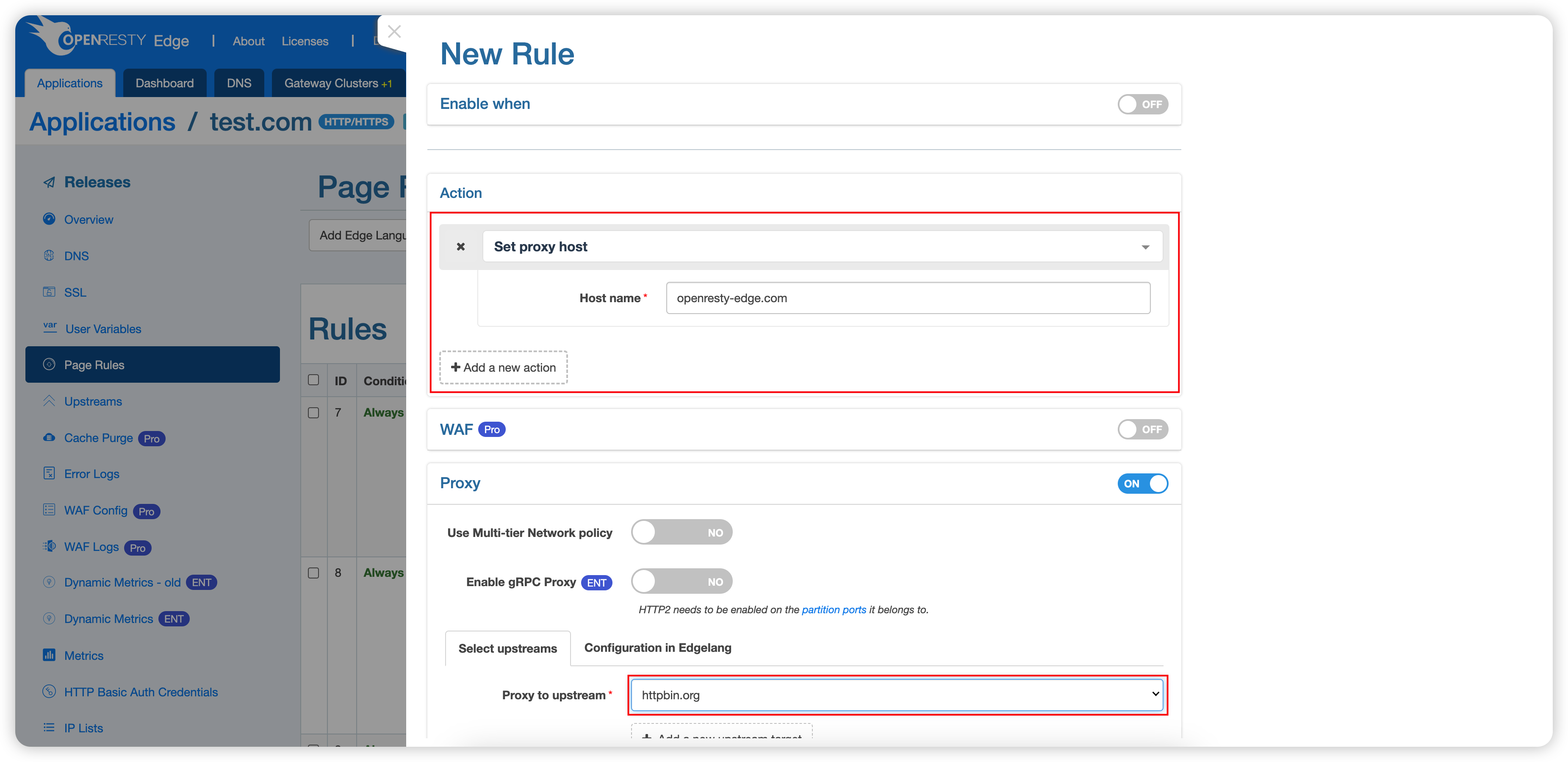
This action sets the proxy hostname and has only one parameter: “Hostname”.
Request example:
$ curl http://test.com/anything
{
  ...
  "headers": {
    "Host": "openresty-edge.com",
  },
  ...
}
As you can see, the hostname has been changed from “test.com” to “openresty-edge.com”.
Append Proxy Header Value
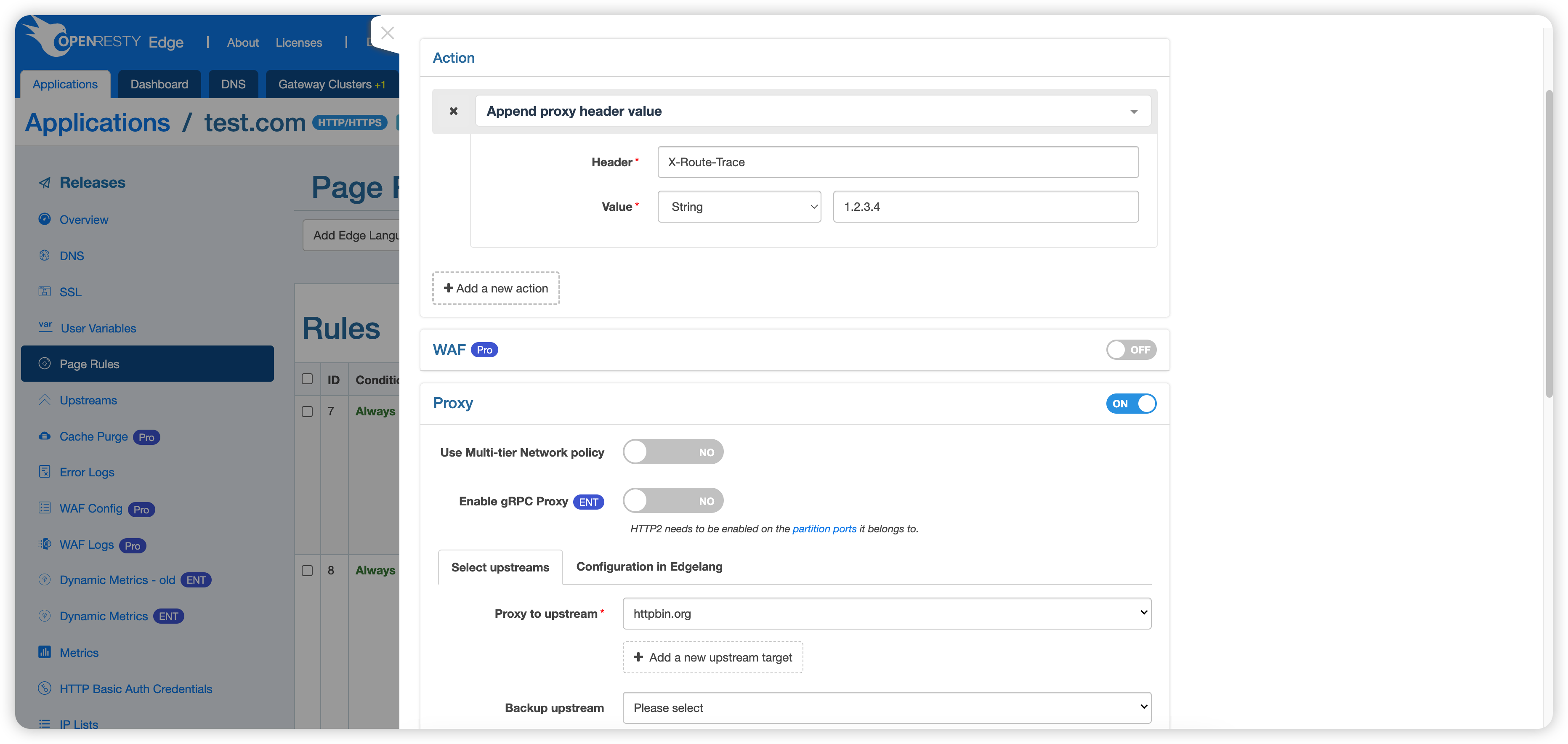
This action appends a value to the specified header, separated by a comma (,). Its parameters are similar to , so refer to for configuration.
Request example:
curl http://test.com/anything -H 'X-Route-Trace: 127.0.0.1'
{
  ...
  "headers": {
    "X-Route-Trace": "127.0.0.1,1.2.3.4"
  },
  ...
}
As you can see, the original value of the X-Route-Trace header in the request was “127.0.0.1”, which has been modified to “127.0.0.1,1.2.3.4”. Here, “1.2.3.4” is the value specified in the page rule.